These practices aim to make your code and data more reproducible.
But what about the computational environment? More specifically:
Are my package dependencies reproducible?
Key questions
Portability
Will my project run on another computer?
Long-term reproducibility
Will my project still run in the future?
Isolation
How can I manage different package versions across projects?

| Function | Description |
|---|---|
init() |
Initialize renv in a project |
status() |
Check lockfile–project library consistency |
snapshot() |
Record current state of project library in lockfile |
restore() |
Restore project library from a lockfile |
install() |
Install packages in the project library |
remove() |
Remove packages from the project library |
deactivate() |
Temporary deactivate renv for the project |
activate() |
(Re)activate renv in the project |
Package
A structured collection of functions,
documentation, data, and tests
Library
A directory where R packages
are installed and stored
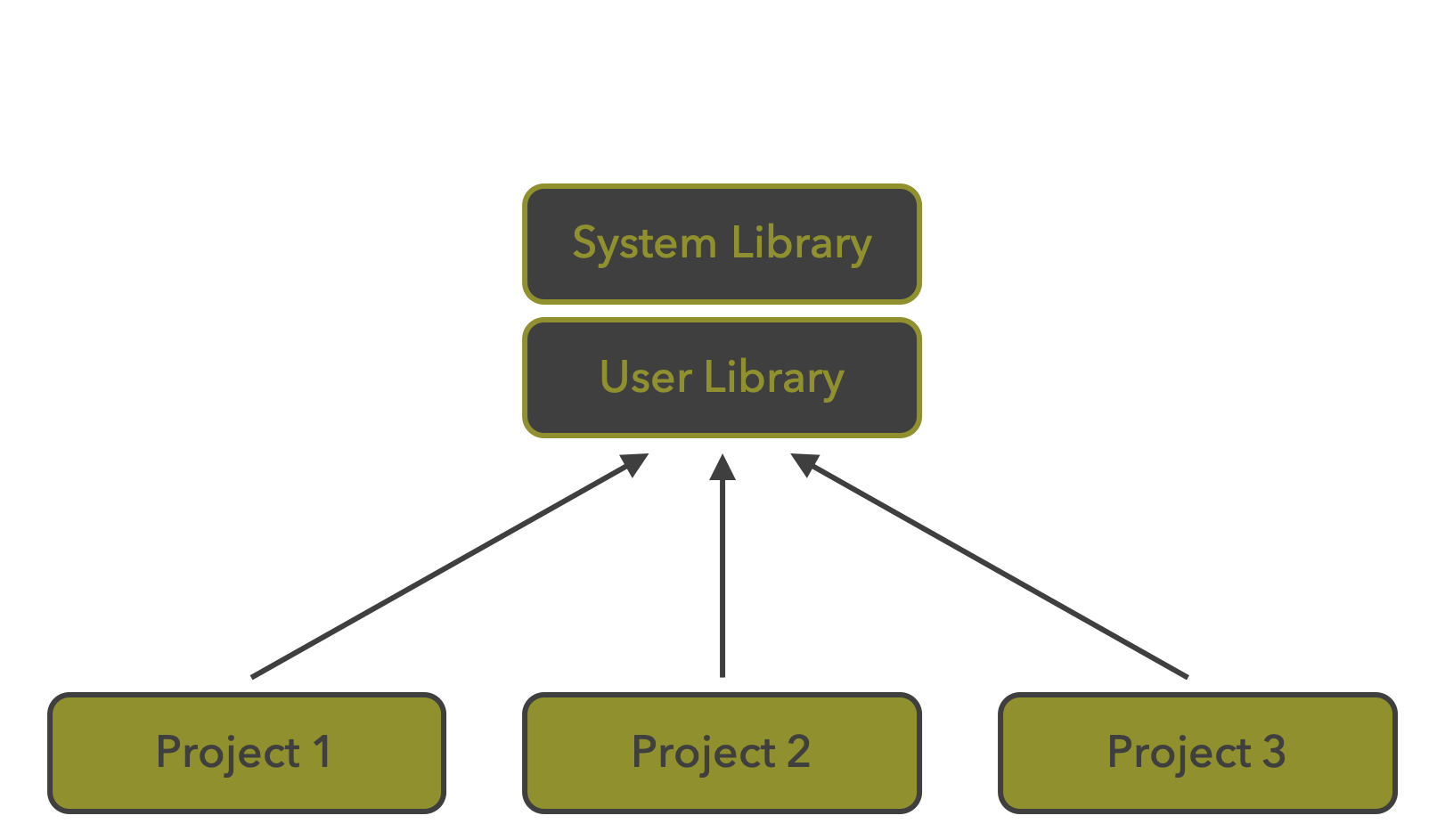
A package is what you install. A library is where you install it
/usr/lib64/R/library: the System library for base packages~/.local/bin/R/x86_64-redhat-linux-gnu-library/4.6: the User library for the package the user install


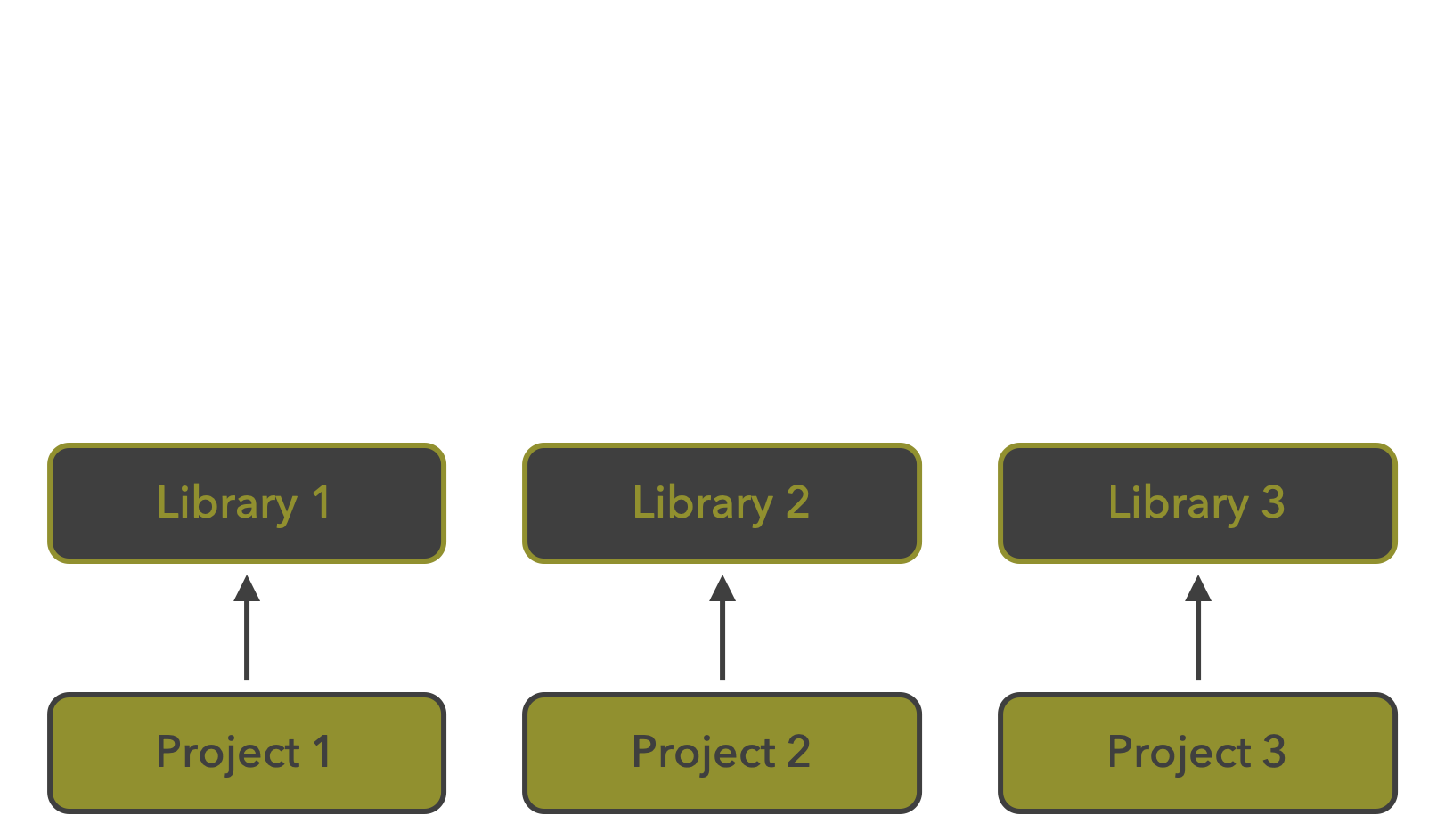
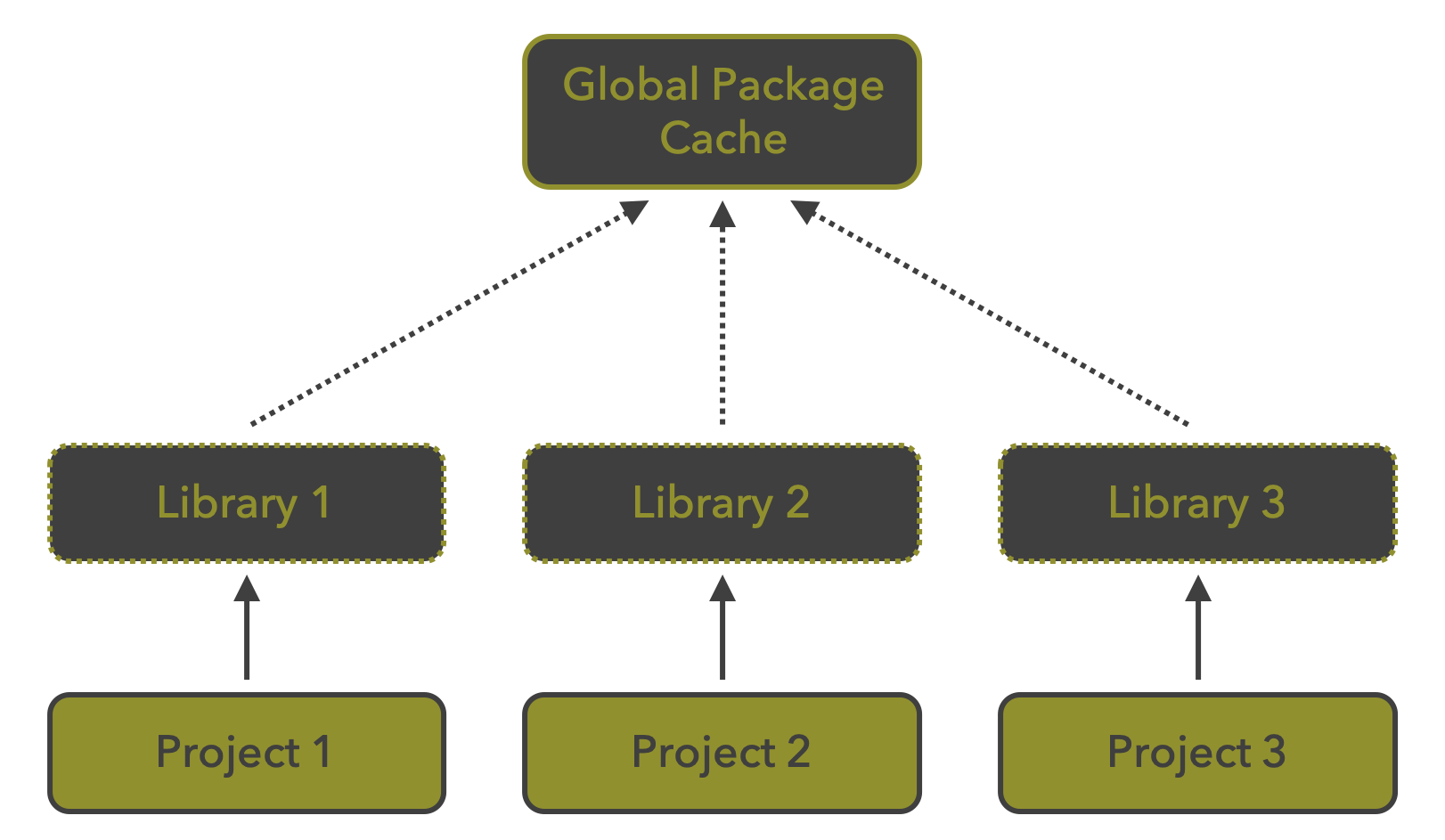
renv library system


renv library systemrenv in an existing project1 by running:
renv, you should see the following message:renv activated -- Please restart the R session.
R version 4.6.2 (2026-10-29) -- "Diversified Portfolio"
...
- Project '~/git/course-renv' loaded. [renv 1.3.1]
Additional files have been created by renv
.
├── .Rprofile
│
├── renv/
│ ├── .gitignore
│ ├── activate.R
│ ├── library/
│ └── settings.dcf
│
└── renv.lock
.Rprofile: automatically activate renv when starting the sessionrenv/: contains project-specific R package library and renv settingsrenv.lock: record of package versions and sources - a.k.a the lockfileThe renv.lock is a JSON (JavaScript Object Notation) file that records package metadata
Including:
renv ensures consistency between the project code, the installed packages, and the lockfile
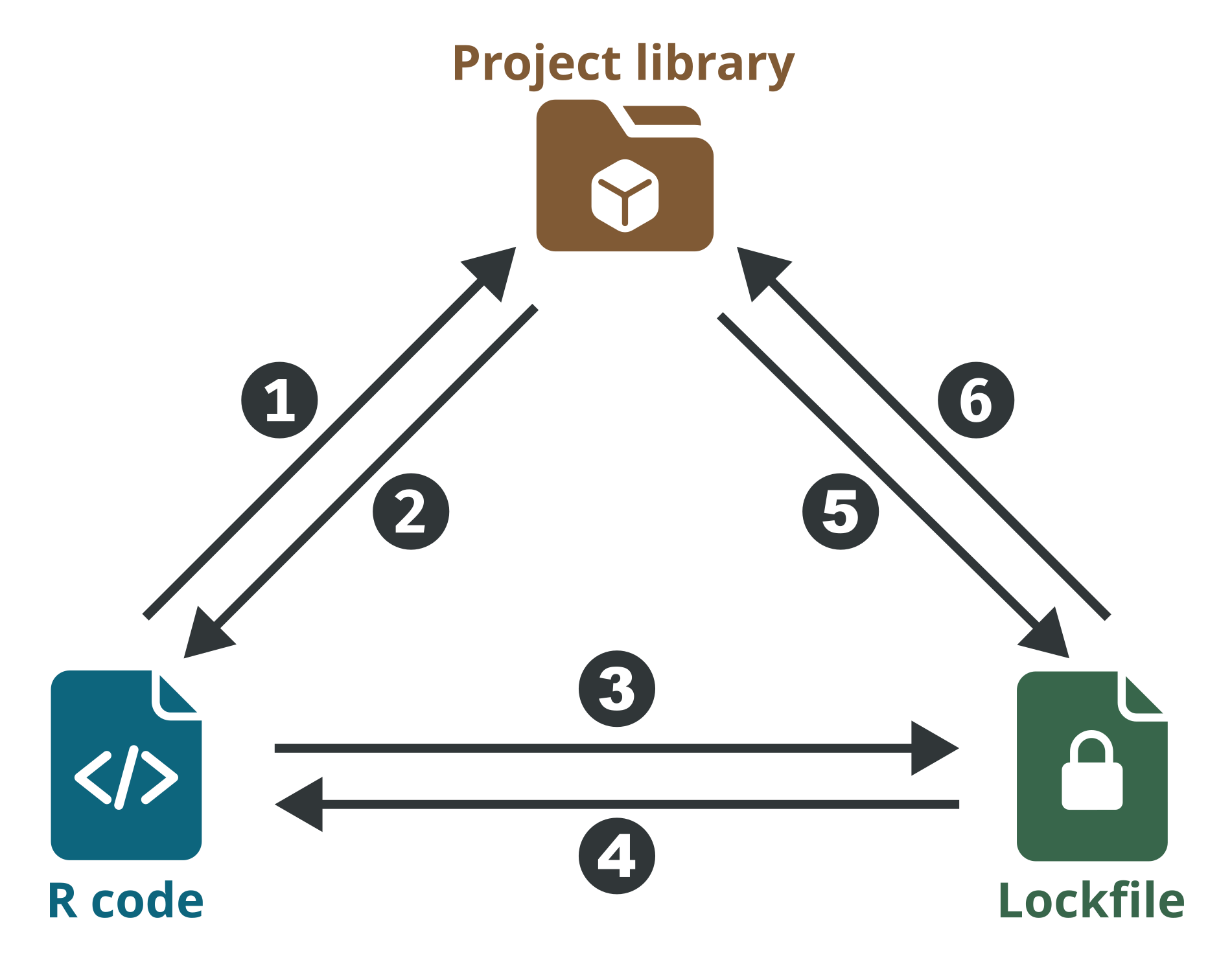
1 All packages used in the code should be installed
2 All installed packages should be used in the code
3 All packages used in the code should be recorded
4 All recorded packages should be used in the code
5 All installed packages should be recorded
6 All recorded packages should be installed
Use the renv::status() function at any time to check inconsistencies between lockfile, library and code
Use the renv::install() function to install packages in your project library
You can install:
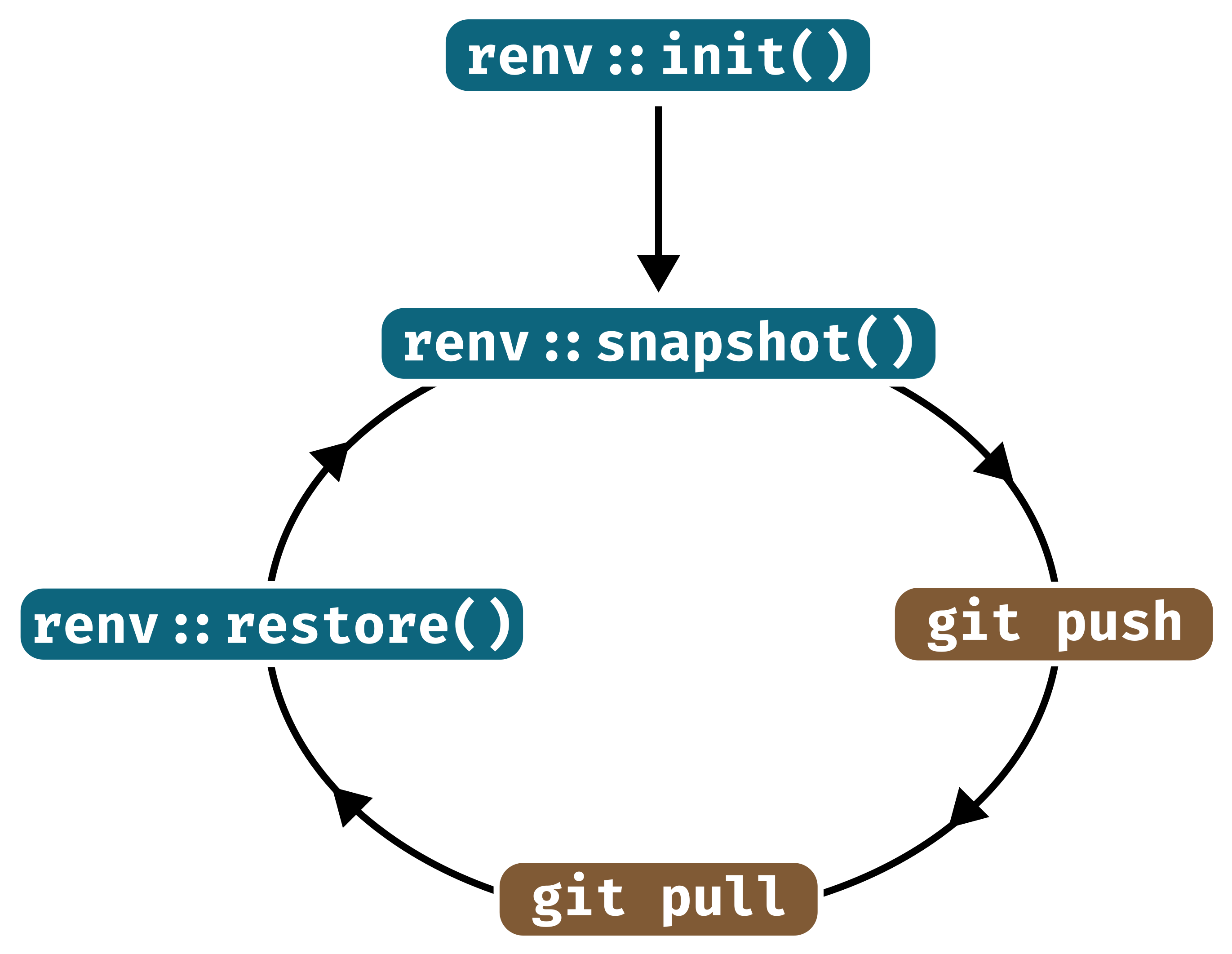
Use the renv::snapshot() function to update the lockfile (package metadata).
fs package metadata from the lockfilecli package metadata to the lockfileImportant
renv::init() to initialize renv in the projectrenv/.gitignore file contains the library/ entry
renv shares the project sources with the collaboratorsrenv should automatically bootstrap itselfrenv::restore() to restore the project library locally


Git conflicts are likely to occur when two or more collaborators independently update the lockfile using renv::snapshot()
One solution: use renv at the end of the project to freeze the package environment